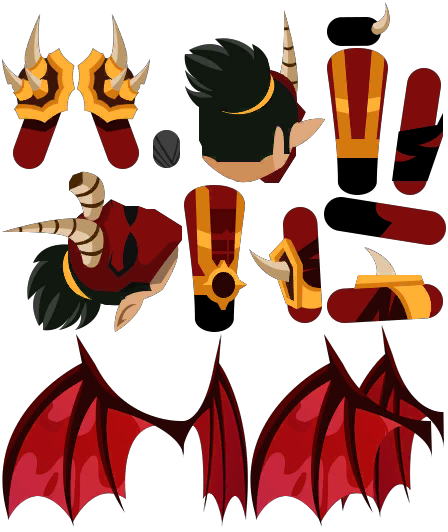
Remix a rig
Pick an existing Spine rig and describe a new look. The skeleton and every animation stay the same — only the textures change.
Step 2 · Describe the new look
Textures are repainted to fit the existing atlas regions, so every animation keeps working.
Tweak the rig
Live in your browser, no model calls. Run a remix to save edits into its skeleton file.
Auto-tweak
Run a remix first: auto-tweak compares it with the original rig.
#ffffff
Off
Recolors the darks, keeps highlights
100%
Transform
100%
100%
Once your remix finishes, you can describe a new animation and Muse keyframes it on the rig's bones.
26 bones·15 slots
Original upload
ATTACK10.3sATTACK20.3sATTACK30.3sATTACK40.3sATTACK50.3sBUFF0.8sDASH0.8sDASH_BACK0.8sDEAD_LOOP0.0sDEAD_START0.5sDEFENSE0.8sHIT10.3sHIT20.3sHIT30.3sHIT40.3sHIT50.3sHIT_JUMP_LANDING0.2sHIT_JUMP_LOOP0.2sIDLE2.7sIDLEINHOME_LOOP0.0sIDLEINHOME_START0.0sJUMP_BACK_DOWN0.2sJUMP_BACK_END0.5sJUMP_BACK_START0.2sJUMP_BACK_UP0.2sJUMP_FRONT_DOWN0.2sJUMP_FRONT_END0.5sJUMP_FRONT_START0.2sJUMP_FRONT_UP0.2sLANDING_END0.5sLANDING_LOOP0.2sLEVEL_UP0.0sRUN0.7sSKILL10.2sSKILL2RADON0.7sSKILL2TULUC1.3sSKILL3RADON1.3sSKILL3TULUC1.3sWIN2.7s
1.00×
Previewing the original rig. Your remix will appear here.